
Product Attachments Extension
Product Attachments Extension allows store admins to upload and display downloadable files like manuals, guides, or warranties on product pages. This enhances the customer experience, provides valuable product information, and supports informed purchasing decisions.
- Upload Product Attachment files.
- Show fancy file icons.
- Support 30+ file types.
- Display files in customer accounts.
- Attach a single file to CMS pages, products, and categories.
- Display files in client's accounts and transactional emails as per the order statuses.


Highlighted Features
-
Attach Multiple File Types
The extension supports attaching various file types, including PDFs, Word documents, ZIP files, images, and videos, allowing merchants to provide comprehensive product-related information.
-
Frontend Display Options
Merchants can configure how attachments are displayed on the product page, including options to show file icons, names, and descriptions, providing customers with clear and organized access to additional resources.
-
Backend Management
Admins can easily manage all product attachments from the Magento admin panel, including adding, editing, and deleting attachments, streamlining the management process.
-
Customizable Icons and Labels
Merchants can customize the icons and labels associated with each file type, enhancing the visual presentation and making it easier for customers to identify the type of attachment.
-
Download Counter
The extension tracks and displays the number of times each attachment has been downloaded, giving insights into customer interest and engagement with the provided files.
Description
Manage Attachments
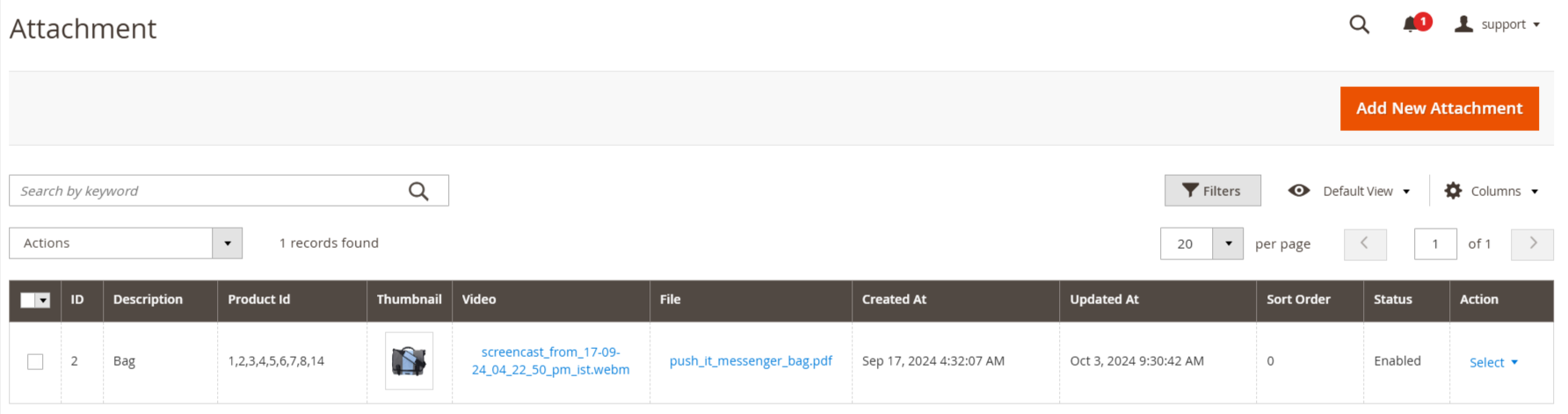
The Product Attachment Extension for Magento 2 lets store owners add files like manuals, guides, licenses, or videos to product pages in formats such as PDF, DOC, Excel, and images. It improves customer experience, builds trust, boosts sales, and simplifies file management with customizable display options from the admin panel.
- Enable the extension from Stores → Configuration → MAVENBIRD EXTENSIONS → Product Attachment
- Then go to Catalog -> Product Attachment -> Manage Attachment.
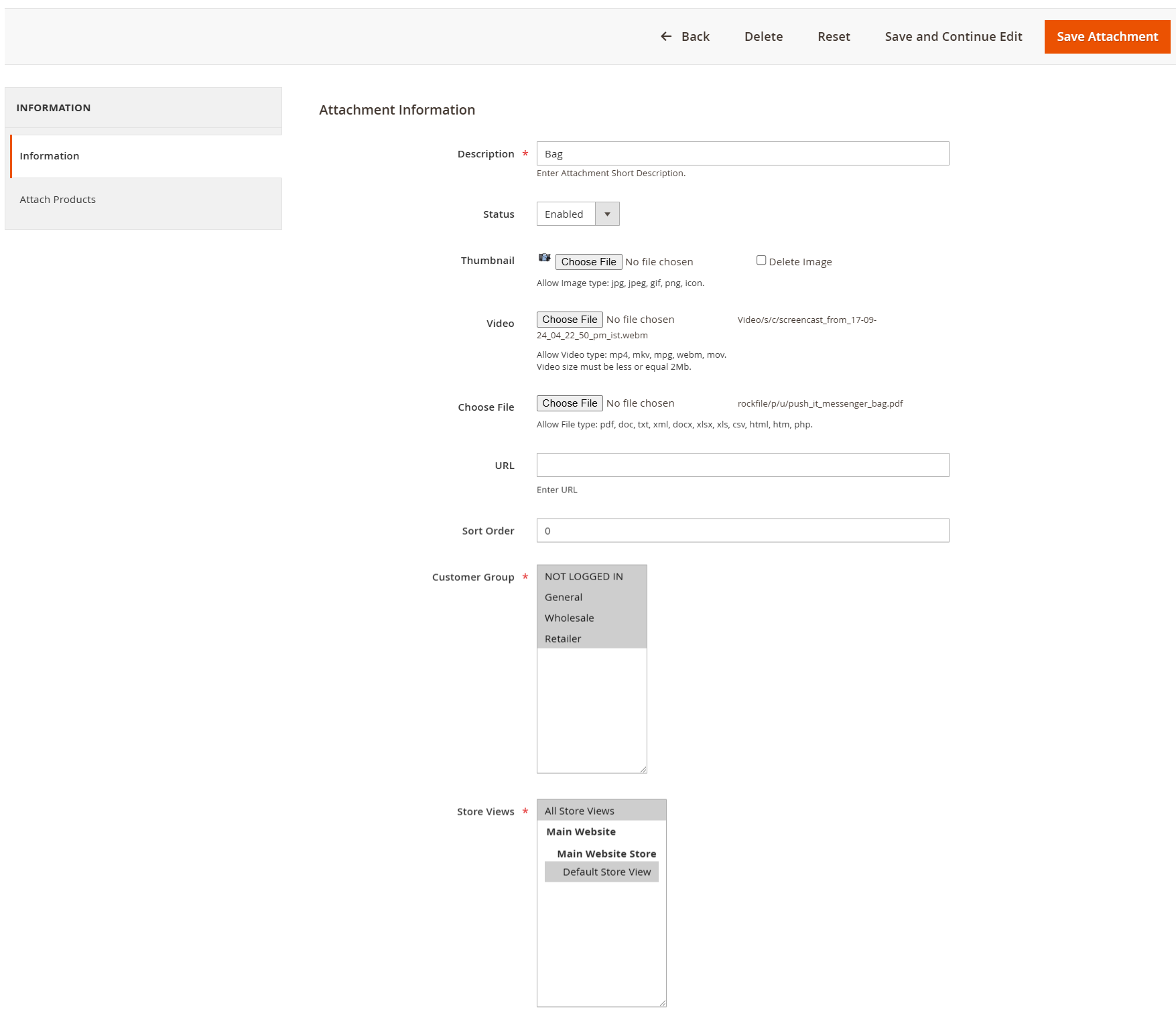
- To add new attachment click on “Add New Attachment” button.
Add New Attachment
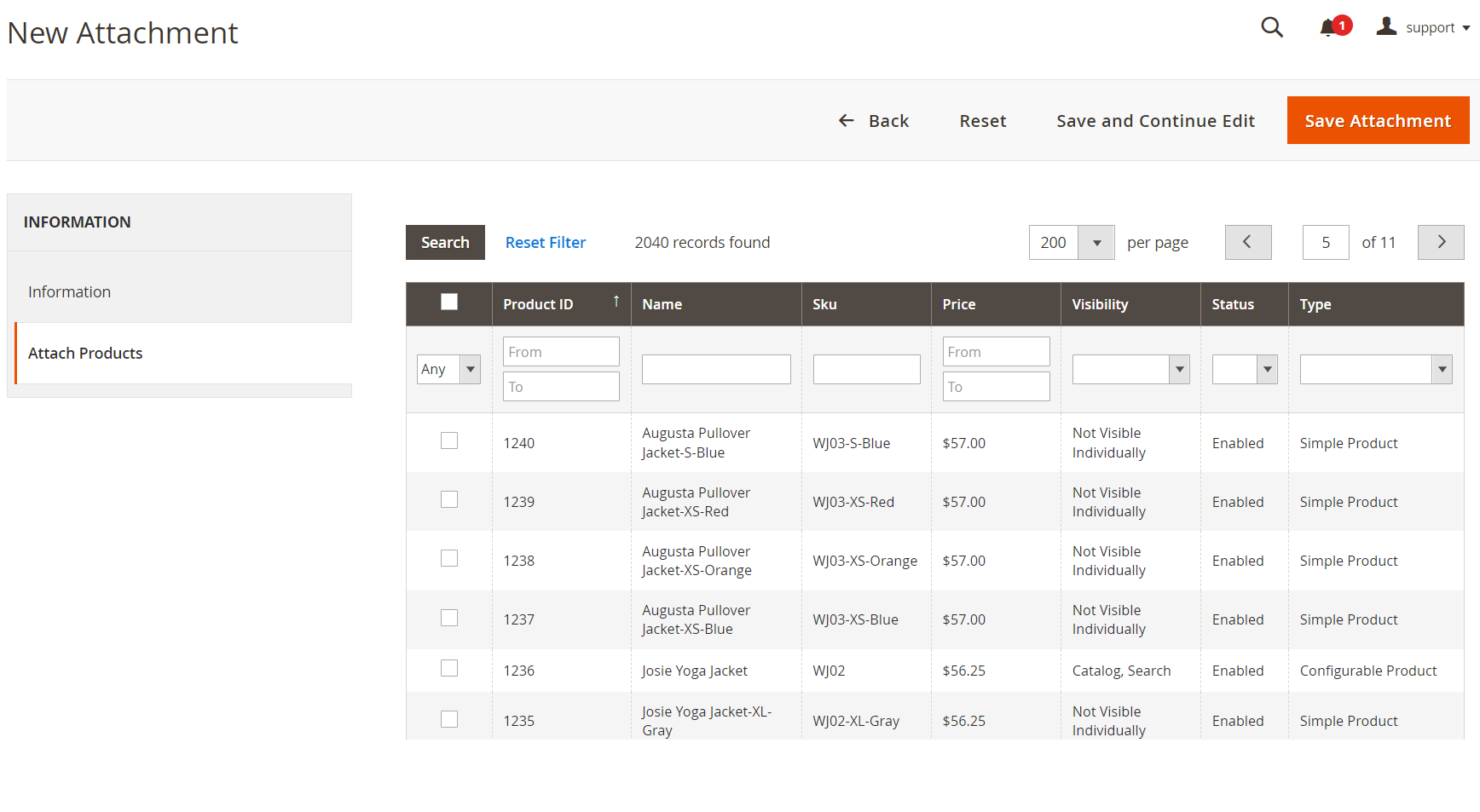
Attach Products
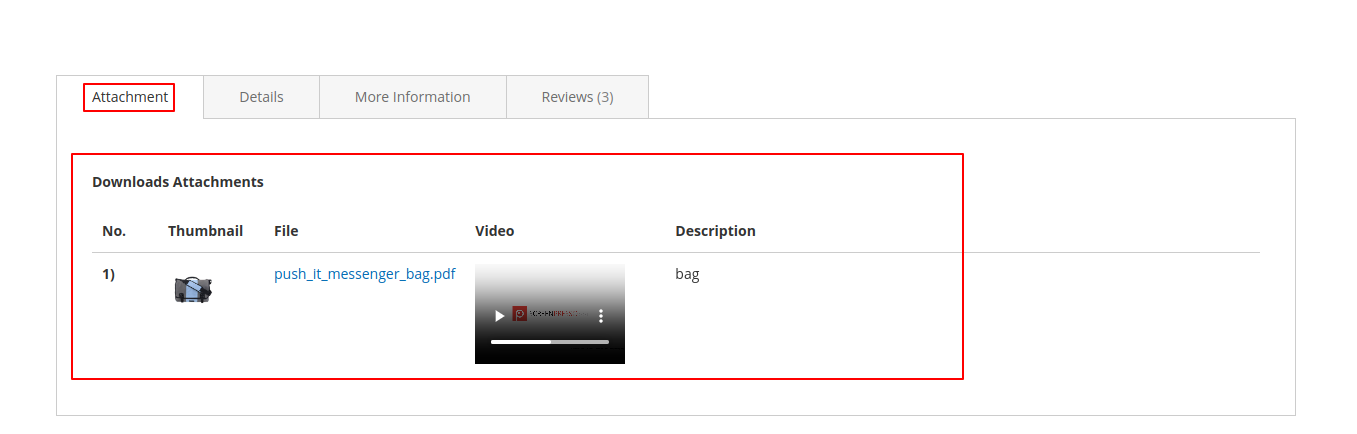
Attachment On Frontend
FAQs
What is the Product Attachments Extension?
What is the Product Attachments Extension?
It lets you add downloadable files (PDFs, manuals, videos, etc.) to product pages for customer reference.
What file types are supported?
What file types are supported?
Common formats like PDF, DOCX, XLS, JPG, PNG, MP4, and ZIP are supported.
Can I restrict downloads to logged-in users?
Can I restrict downloads to logged-in users?
Yes, you can allow only registered customers to access or download attachments.
Where do the attachments appear on the product page?
Where do the attachments appear on the product page?
They usually appear in a separate tab or block on the product detail page.
Can I manage attachments for multiple products at once?
Can I manage attachments for multiple products at once?
Yes, some extensions allow bulk upload or assigning files to multiple products.
Customer Reviews
Changelog
1.1.1 – December 30, 2025
- Upgraded for compatibility with Magento 2.4.8-p3.
- Compatible with PHP version 8.4.
1.1.0 - September 1, 2024
- Minor Bug Fixes
1.0.7 – August 25, 2024
- Fully compatible with Magento 2.4.7-p3.
1.0.6 – November 22, 2023
- Fully compatible with Magento 2.4.6.
1.0.5 – October 8, 2022
- The Mavenbird team has developed this extension in full compliance with Magento coding standards.
1.0.4 – May 19, 2021
- The product attachment grid should display the filename rather than the description.
1.0.3 – August 18, 2020
- A new feature has been added to Product Attachments, allowing admins to include videos as attachments. This helps customers better understand product details.
1.0.2 – November 12, 2019
- Admin can add a URL (link) as an attachment.
- Attachments can be created for specific store views and customer groups.
- "Created At" and "Updated At" columns have been added to the Product Attachment grid.
- Attachments are available as downloadable links.
1.0.1 – March 3, 2019
- Mavenbird has updated the Product Attachments extension to support the latest Magento 2.3 version. The extension is now compatible with all Magento versions.
- The module version in the composer.json file has been updated to match the version specified in the module.xml file.
- A missing resource tag in the acl.xml file has been added, resolving the associated error. The extension is now working smoothly in version 2.0.1.
1.0.0 – February 10, 2018
- Initial launch.
We are committed to being open and transparent with our customers. When you purchase our module, you automatically receive one year of free support service and free updates.
Why is this important?
- Seamless Installation and Configuration: We understand that setting up a new module can take time to configure according to your specific needs. That's why we offer a full year of free support. Our experienced team is here to assist you with installation, configuration, and any questions you might have. We're eager to share our expertise to ensure you get the most out of your purchase.
- Stay Updated with Magento (Adobe Commerce) Releases: Magento releases new versions approximately every three months. These updates can sometimes introduce compatibility challenges. To keep your store running smoothly, we provide a year of free access to the latest versions of our modules, ensuring that you can upgrade Magento and our modules without encountering any obstacles.
- Subscription Included: Renewing your subscription ensures continued access to the latest updates and support from our team. This means you can be confident that any issues you encounter with the extension will be resolved quickly and efficiently. You can cancel your subscription at any time without any additional fees.
- Free Installation
- 30 Days Money Back
- 1 Year Of Free Support
- Open Source East To Customize
- Meets Magento Code Standards