
Payment Restrictions Extension
Magento 2 Payment Restrictions Extension allows you to set custom payment method rules and restrictions based on factors like customer group, location, or product type—ensuring that only eligible payment options are available to customers during checkout on your Magento 2 (Adobe Commerce/Adobe Commerce Cloud) store.
- Restriction created on product info.
- Enhance performance of your payment process.
- Customer data can be disable by this methods.
- Restrict payment methods by using shipping info.
- The risk become less and enlarge business opportunities.

Highlighted Features
-
Condition-Based Restrictions
Define rules to enable or disable specific payment methods based on various conditions like customer group, order total, shipping method, or product type. This allows for customized payment options that align with different scenarios and requirements.
-
Product-Based Restrictions
Control payment methods based on the products added to the cart. You can set up rules to disable or enable payment methods for specific product categories or types, ensuring that payment options align with the nature of the products being purchased.
-
Shipping Method Integration
Restrict payment methods depending on the chosen shipping method. For example, you can configure certain payment methods to be available only when specific shipping options are selected, providing a seamless integration between shipping and payment choices.
-
Order Total Restrictions
Configure payment methods based on the order total, allowing you to set minimum or maximum order values for certain payment options. This feature helps manage payment methods based on the total value of the order, ensuring appropriate options are available for different purchase amounts.
-
Custom Payment Rules
Create and manage custom payment rules through an intuitive admin interface. This feature provides flexibility in configuring payment restrictions without requiring coding skills, allowing for a user-friendly setup and management of payment rules.
-
Rule Priority Management
Set priorities for different payment restriction rules to handle conflicts and ensure that the most relevant rule is applied. This feature allows for precise control over which rules take precedence in scenarios where multiple rules could apply.
-
Logging and Reporting
Track and generate reports on the application of payment restriction rules. This feature provides insights into how frequently and why certain payment methods are restricted, helping analyze and optimize payment configurations.
Description
Add Payment Rules
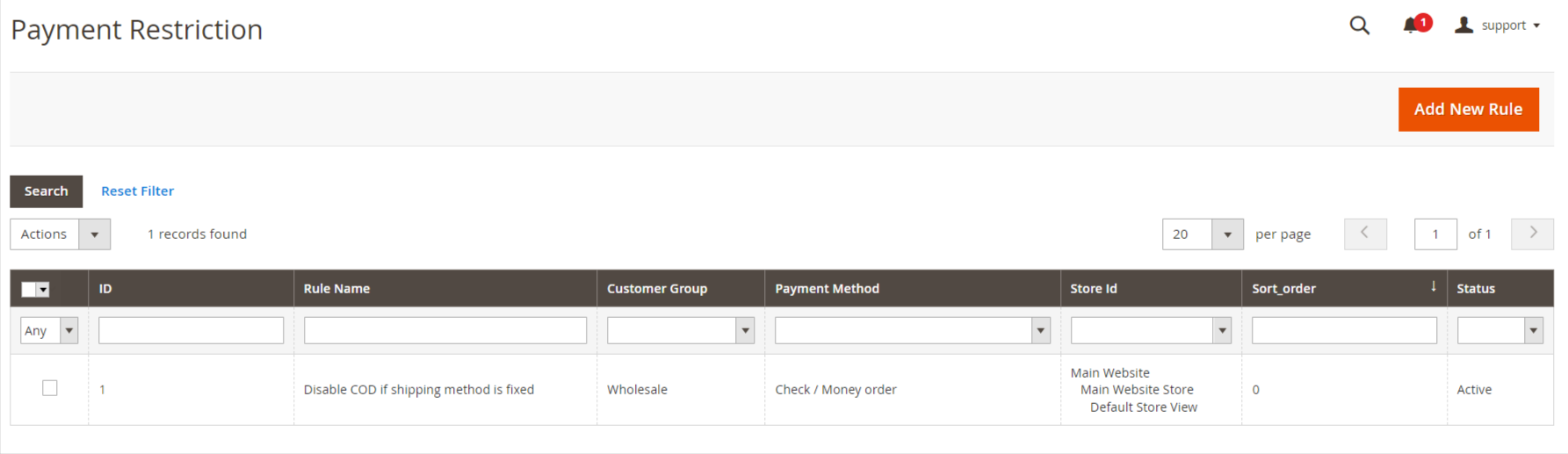
The Payment Restriction Extension for Magento 2 allows store owners to limit payment methods based on conditions like customer groups, cart total, or product categories, improving payment control, customer segmentation, and checkout experience while reducing cart abandonment.
- Enable the extension from Store -> Configuration -> MAVENBIRD EXTENSIONS -> Payment Restriction.
- Go to Mavenbird → Payment Restriction → Add Payment Rule.
- Here you can create payment restriction rules, click on "Add New Rule" button and create the rule.
Add General Information
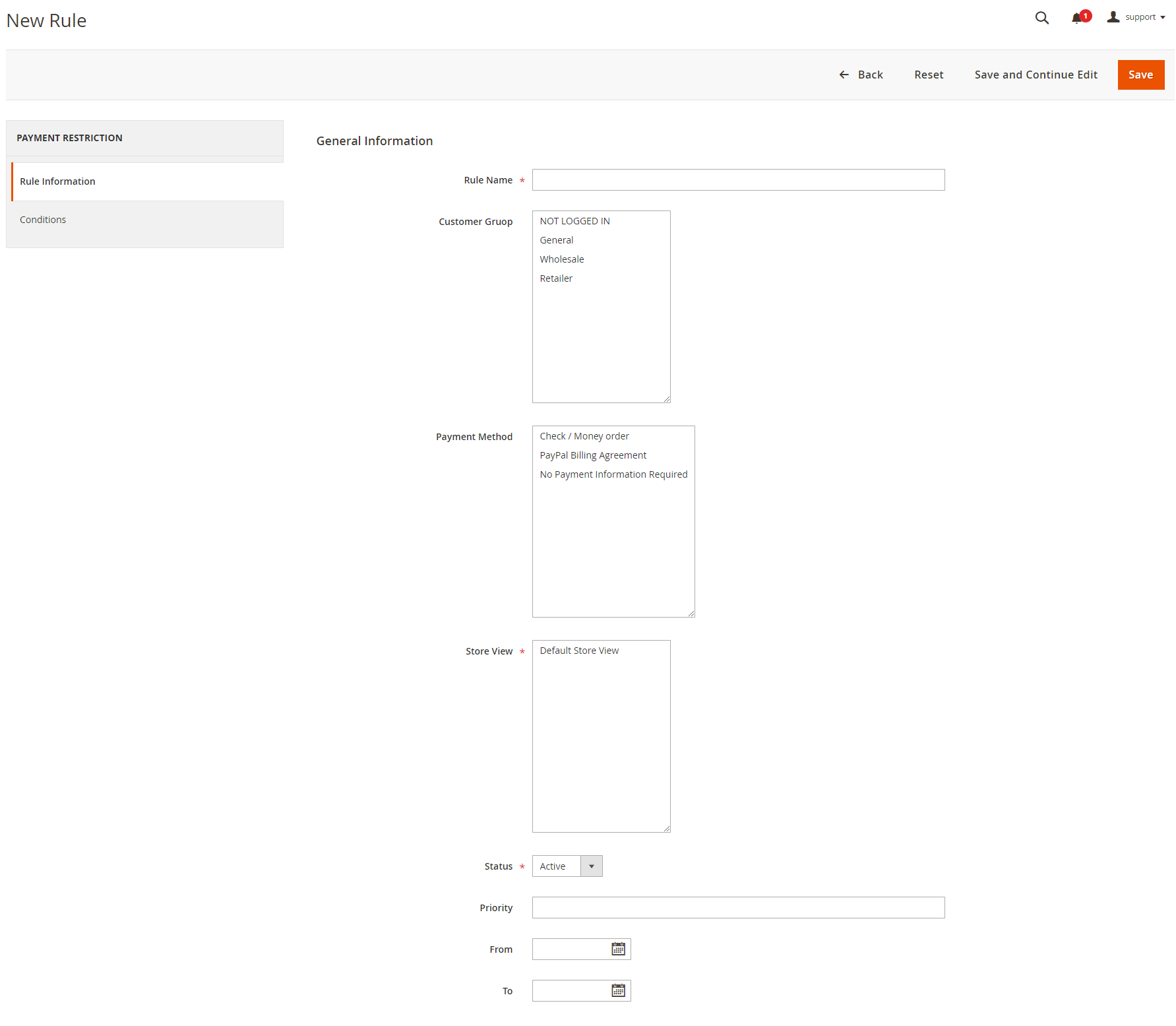
- The restriction rule's name. The menu will only be shown in the admin area with the exception of Payment Restrictions.
- The option controls that the rule will apply to those customer groups. The rule will apply to all groups if nothing is selected.
- Here the rule may be enabled or disabled.
- Here, if the rule is applied, you can choose which payment methods are blocked.
- The rule will be applied in all stores if nothing is selected.
- Specify some time period for the rule to be enabled.
Add Condition
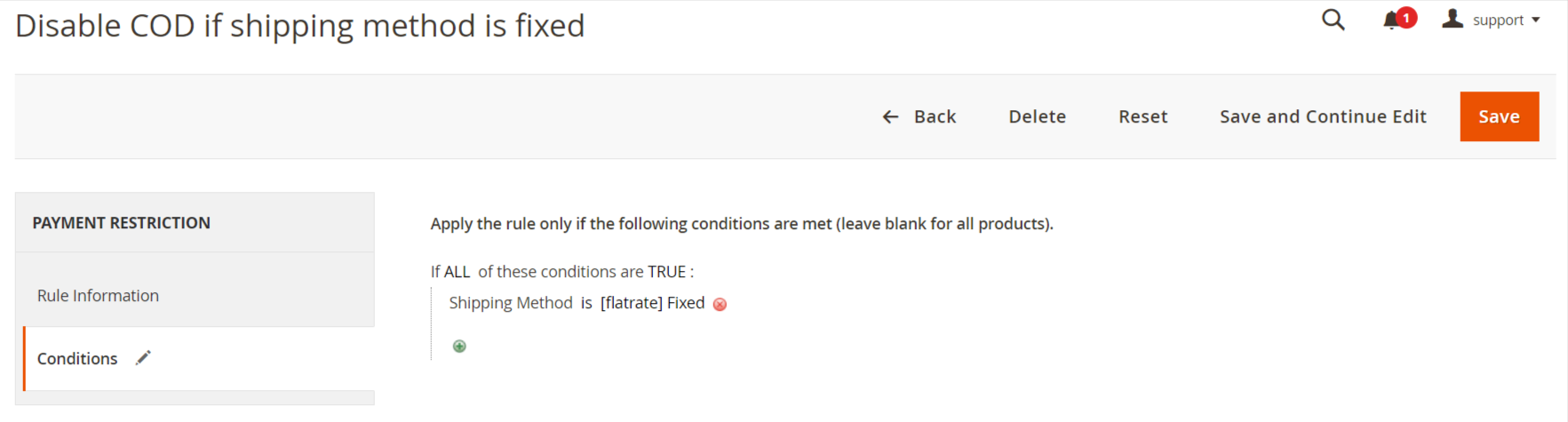
- The rule is only applicable if certain conditions exist when the conditions have been fulfilled. If no conditions are established, the rule is always active.
- Here Backorder items are available in the cart, how the rule will work. Only the rule works if it is set to Backorders if only Backorder items are in your cart. The rule is applied if there are no Backorder items with the Nonbackorders. Whether there are Backorder items in the cart or not all orders will work.
Apply Payment Restriction Rule
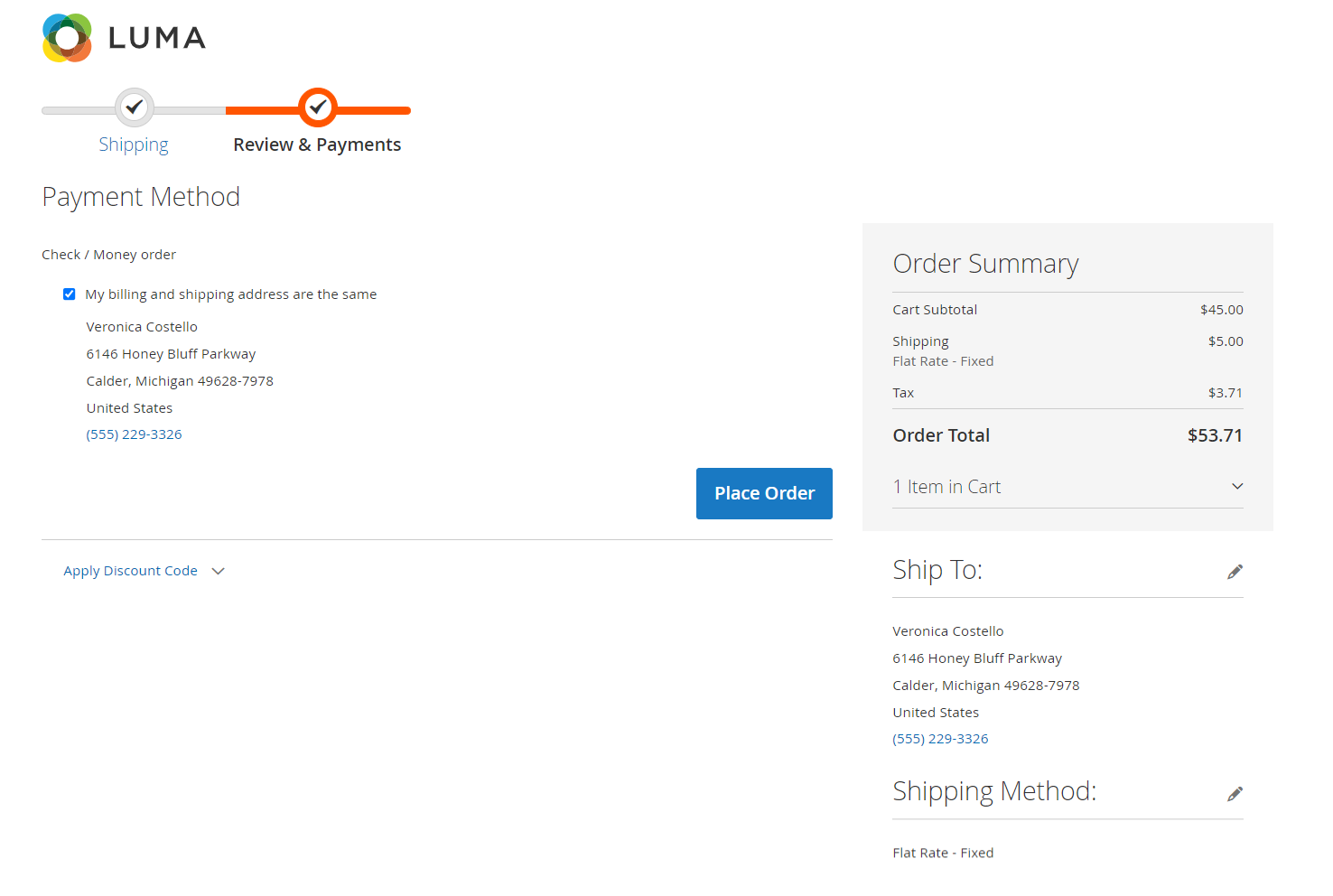
- On frontend the payment rule applied the COD are restricted when shipping method is flat rate - fixed.
FAQs
What is the Payment Restrictions Extension?
What is the Payment Restrictions Extension?
It limits available payment methods based on rules like customer group, cart value, or shipping method.
How do I block payment methods for specific countries?
How do I block payment methods for specific countries?
Use location-based rules to disable payment methods for certain countries or regions.
Can I restrict payment by customer group?
Can I restrict payment by customer group?
Yes, limit payment options based on groups like guest, wholesale, or VIP.
Can I hide payment methods based on cart subtotal or weight?
Can I hide payment methods based on cart subtotal or weight?
Yes, hide or show payment options based on subtotal, weight, or item quantity.
Customer Reviews
Changelog
1.2.0 – january 15, 2026
- Upgraded for compatibility with Magento 2.4.8-p3.
- Compatible with PHP version 8.4.
1.1.1 – December 30, 2025
- Upgraded for compatibility with Magento 2.4.8-p3.
* Verified and compatible with PHP version 8.3.
1.1.0 - September 1, 2024
- Minor Bug Fixes
1.0.7 – June 25, 2025
- Fully compatible with Magento 2.4.8-p1.
1.0.6 – August 12, 2024
- Fully compatible with Magento 2.4.7-p3.
1.0.5 – May 12, 2024
- Fixed issue that prevented saving multiple “Apply the rule depending on Cart Price Rules” entries.
1.0.4 – May 19, 2023
- Fully compatible with Magento 2.4.6
1.0.3 – December 20, 2021
- Resolved minor issues.
1.0.2 – May 10, 2021
- Compatible with Magento version 2.4.2
- Supports multiple shipping addresses.
- Resolved issue where rules were saved with incorrect time.
1.0.1 – November 8, 2020
- Compatible with Magento 2.4
1.0.0 – February 9, 2018
- Initial launch.
We are committed to being open and transparent with our customers. When you purchase our module, you automatically receive one year of free support service and free updates.
Why is this important?
- Seamless Installation and Configuration: We understand that setting up a new module can take time to configure according to your specific needs. That's why we offer a full year of free support. Our experienced team is here to assist you with installation, configuration, and any questions you might have. We're eager to share our expertise to ensure you get the most out of your purchase.
- Stay Updated with Magento (Adobe Commerce) Releases: Magento releases new versions approximately every three months. These updates can sometimes introduce compatibility challenges. To keep your store running smoothly, we provide a year of free access to the latest versions of our modules, ensuring that you can upgrade Magento and our modules without encountering any obstacles.
- Subscription Included: Renewing your subscription ensures continued access to the latest updates and support from our team. This means you can be confident that any issues you encounter with the extension will be resolved quickly and efficiently. You can cancel your subscription at any time without any additional fees.
- Free Installation
- 30 Days Money Back
- 1 Year Of Free Support
- Open Source East To Customize
- Meets Magento Code Standards